Unification ≠ iOS-ification

I originally wrote this in the comments to this tongue-in-cheek article – itself a response to the plethora of pundits claiming that Apple is dumbing down OS X by leveraging consistent UI elements across their products.

There been this idea floating around that computers should have scalable modes. An “easy” or beginners mode for people new to the environment. As their skills and comforts develop the software would somehow adjust to open new interfaces like advanced menus or shortcuts.

Well, this isn’t coming to fruition. It’s nearly impossible to predict and implement. But you know what is close? Familiarity and simplicity – both things OS X has been trying for years to do and (In my humble opinion) iOS excels at.

As for the worry that Apple devices will become nerfed consumption machines where no one can produce anything of value (the written word, art, programs) is a bit dramatic. Things in life are rarely black and white.

As someone who could be considered a power user, I’m not in the least bit worried. The command line is still there, a plethora of 3rd-party apps that aren’t “dumbed down” still (and will continue to) exist and frankly most of the design decisions have been positive for users of all types. (Unified conventions, consistent app names, gestures, etc.)

iOS-ification sounds scary because certain mindsets see that as a negative thing. What isn’t being discussed or recognized is the judicial use of iOS ideas. If Apple wanted to make OS X just like iOS they could in a second. They chose however, to select the best ideas and are starting to integrate them across their product line. No longer is the iOS devices over here and the OS X devices over there similar in little ways, but in big ways.
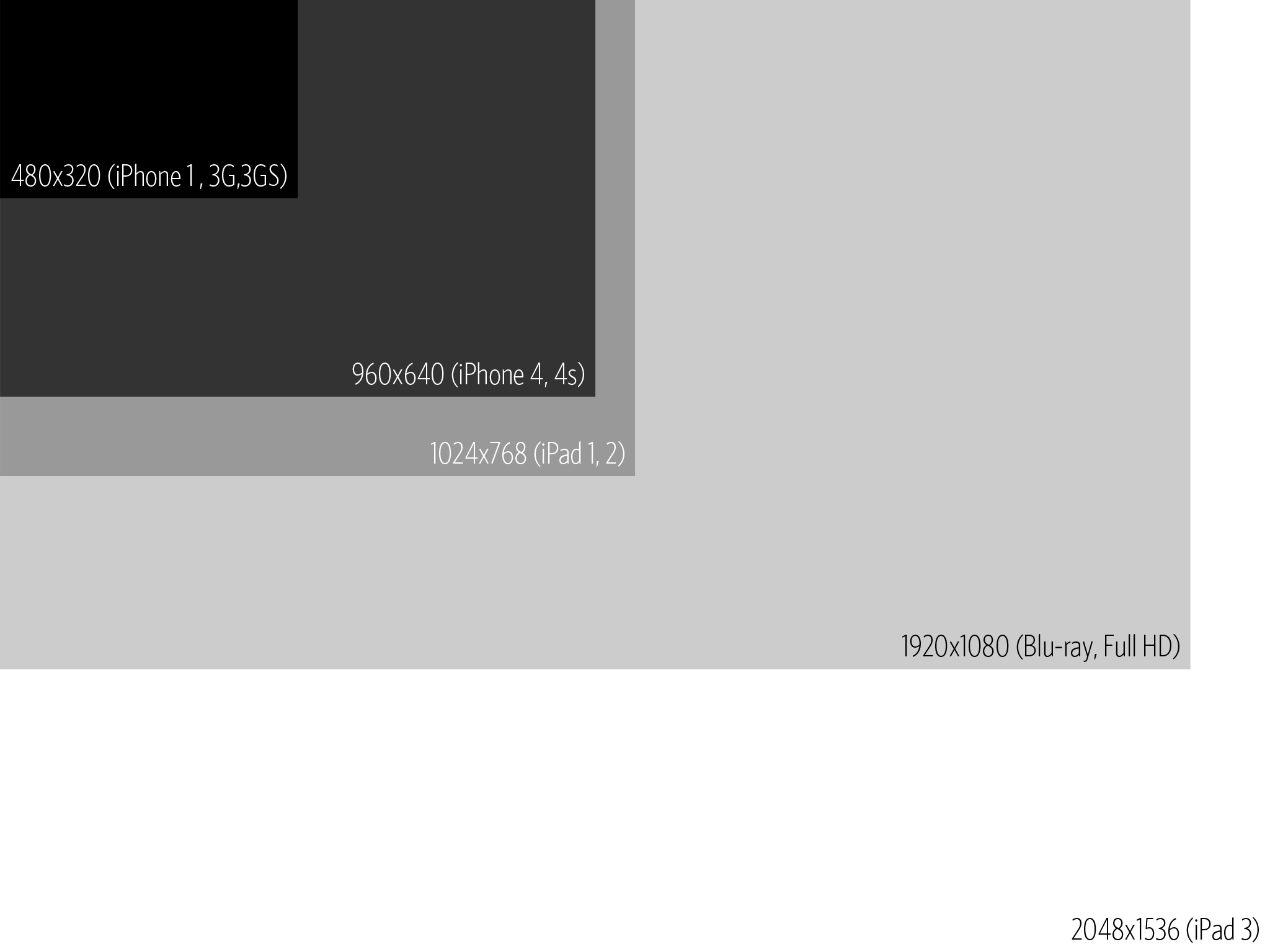
 

What Does the New iPad Screen Look Like?

It’s that time again! Apple’s rumored to announce a new iPad next month. One of the supposed features is a new higher resolution screen. What does 2048×1536 look like? To answer my own curiosity I threw together this little chart.

Click to see full size


That’s a lot of pixels. You could watch a full resolution HD movie and still have some space for content. On a 9.7 inch screen!

New Year, Same Job

As the new year begins I’m reflecting on the work I’ve done over the past year. Some of it was good, some could have been better and some was crap.

In an attempt to make more things and become a better <whatever I’m trying at the moment>, I look to inspiration from other smart people. Mike Monteiro’s words this morning struck me as sound advice. Particularly this passage:

“We have more processing power, affordable tools, and combined intelligence right this very minute than at any point in the history of design. We are using it to build shit. It’s time to aim higher. Let’s find problems to solve that actually improve people’s lives. Whether it’s figuring out a better way to access medical records, figuring out how 14 year olds can stop carrying forty pounds of textbooks back and forth to school every day, or a reservation system for the communal rooftop farm in your building, there has got to be something more beneficial to society than the next Facebook clone.”

While it may be a new year, ripe with new opportunities, it’s still the same job. Keep working, better yourself and better your community.

Apple Linen

With the recent iOS 5 and OS X Lion updates I’ve been noticing a lot more linen in my UI. It shows up everywhere, from the login screen in Lion to the canvas behind a Safari window on the iPad and OS X.

I was curious to find out where it appears and discovered this thread on reddit.

I discovered at least 4 different shades.


Dock.app – backgroundTile.png


Dock.app – defaultdesktop.png


AppKit.framework – NSLinenBackgroundPattern.png


Safari.framework – ReadingList-BGLinen.png

It’s interesting that the Reading List variant isn’t 256px by 256px, but rather 300px by 300px – a non base-two size. It’s also worth noting that the iPad uses the darkest texture for the canvas in Safari, while Lion uses the second lightest version.

Update: George mentions in the comments, as of 10.7.3 backgroundTile.png from the Dock.app bundle was renamed to ecsb_background_tile.png. The files appear to be exactly the same.

Update 2: The new beta of Messages for Mountain Lion includes a new addition to the linen family.

/Applications/iChat.app/Contents/Resources/linen.tiff

I will never tell her she’s doing it wrong.

I love getting emails like this one:

No, I’m not being sarcastic. You see, this email came from an iPad/iPhone game called Pocket Frogs. In this game you breed and nurture tiny frogs. You can feed them and race with them with the goal to create new generations of offspring with new combinations of colors and designs. To encourage new users the developers have a messaging feature baked in. You can message your friends to let them know about the app in hopes they’ll download it.

So why do I love emails like this? Because they’re from my daughter. At the ripe old age of five, she’s discovered how to use the in-game messaging – she taps on the frog, then the “Share”, then “Email” and sends a message to my name, stored in her Grandmother’s iPad.

So while I’m staring at code, sitting in a meeting or editing video for 8 hours a day, my daughter sometimes thinks about sending her newest frog to her old man. I’ll never tell her she’s doing it wrong.