A Personal History of Digital Cameras as Presented by a Simple Chart.


As I was flipping through my now 120GB+ iPhoto library I realized that my family is now on our 4th digital camera. Above is the oldest photo I have. This was taken with my wife’s (then girlfriend) Olympus C-830L1. That was back in December of 1999.

Fast forward to today and here’s a shot taken with our newest camera.

My Dog at Night

Because I like visualizing information, I made a chart comparing all of our past cameras resolution against our most recent.
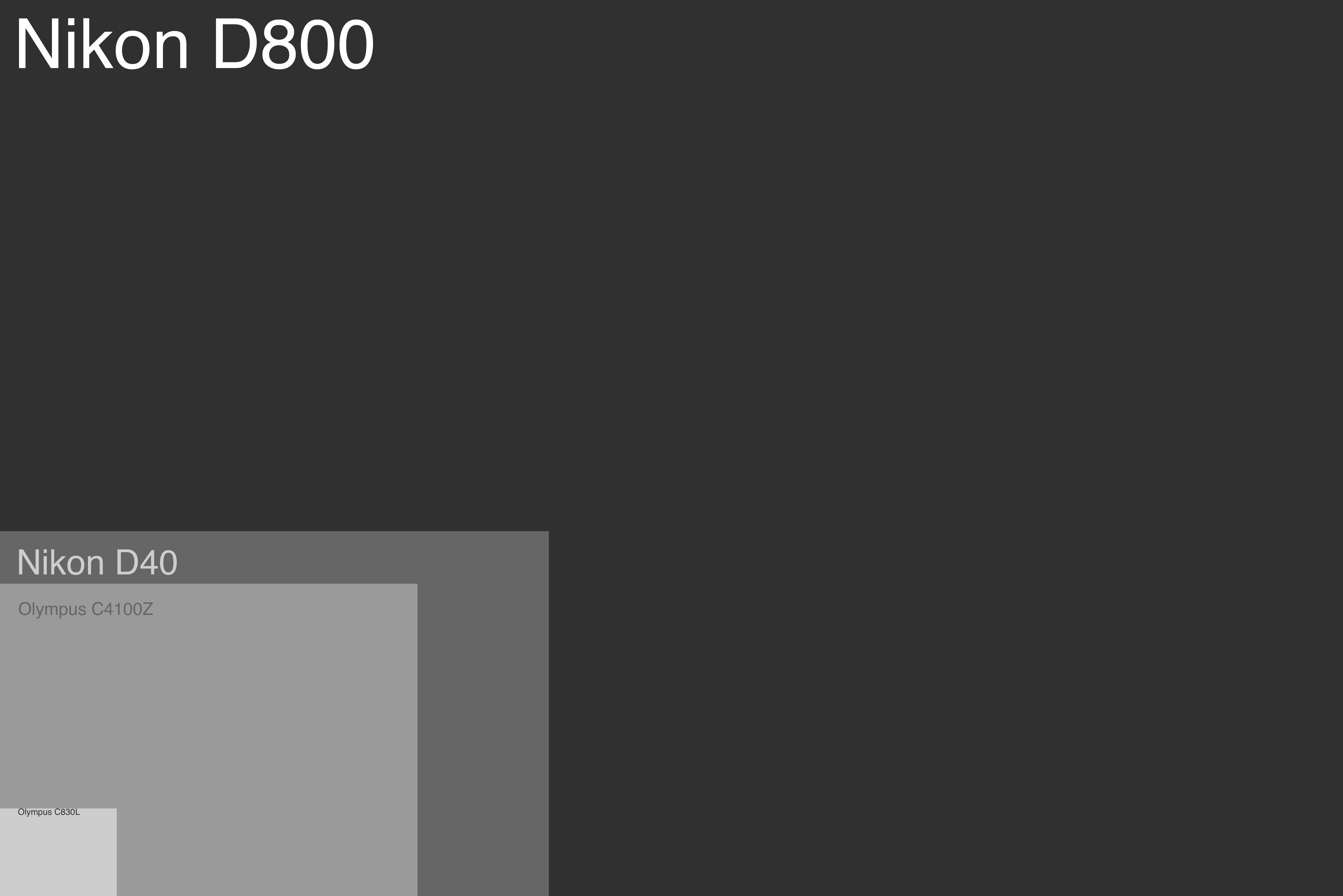
Click for 36.3 megapixels of chart love

This chart shows a 1:1 scale comparison between that first camera and our most recent – a Nikon D800. That’s a pretty substantial increase in megapixels. That’s to be expected, as we’ve gone from basic point-and-shoots to full-body DSLRs over the past 13 years. While megapixels aren’t the only improvement made since 19992, this is just one way of visualizing the dramatic improvements in digital photography since I started.

1.3 to 36.3 megapixels of history. I’ve loved every camera and I’m excited to see how things look in another 12 years!

Notifications are Bad and You Should Feel Bad

This is a rant against notifications.

Notifications are those things you have on your phone, tablet or computer that pop up in the corner of your screen when you get an email, meeting invite, Twitter reply, or a file change in Dropbox.

I’d even extend the buggery of notifications to the badge alerts for anything not mentioned in this footnote3. Why do I need a badge on my Draw Something icon? Of course there are people in there waiting for me to play. That’s the entire premise of the app!

If you’re like me, every time I see little red badge holding a number I get anxious. I need to check that app! I have to get rid of the number! I don’t care if my Aunt called me and left an important voicemail – I’m going to open the Phone app just to make the badge go away.

We don’t need the mental stress of being reminded of things that are not immediate to the work we’re doing.

Outlook has had these pop-ups for years4 and on the Mac, Growl has been around for a while and quite successful. Notification Center in iOS and now OS X Mountain Lion continue the trend of annoying people under the guise of productivity.

These things are useless. Out of the box, you’re likely to have half a dozen or more applications vying for your attention. The promise of notifications is that you’ll be more productive – quicker to react to things that require your attention.

After a few weeks with Mountain Lion, here’s the apps that are in Notification Center:

Not pictured: Twitter, Google Chrome, Tweetbot and Mail!

Notifications give you the false impression of being productive, but in reality they merely distract you from whatever focused work you were trying to accomplish. It’s a pavlovian response when you hear that ding that you need to act upon it. Most people, myself included, don’t have the willpower to simply ignore those chimes, dings and rings. We have to look.

I use to love notifications. I used Growl for a long time5, and when I got my first iPhone Notification Center was filled with dozens of apps. I use to think, “What if I get a Game Center request? What if I get a super awesome email at 11 o’clock at night!?

But that’s the rub, innit?

Notifications are useless. You don’t need them. They are distracting, they break your train of thought and inhibit your ability to focus on whatever task you’re working on. Even if you ignore them, your subconscious spends time pondering the content while you try to continue working on what is in front of you.

So here’s a challenge. Turn off some of  your notifications. Pick five apps that display a pop-up or a badge and turn them off for a week. See what happens. I bet dollars to doughnuts that you don’t notice they’re missing. You might even notice (see what I did there) that you’re a little more focused on the essential than the urgent.

Bonus: As I was writing this, my good friend and I cracked a joke.