After reading Andy Baio’s enlightening post about how to use Amazon’s Mechanical Turk to transcribe audio1, I’ve kept thinking back to the novelty of the service and tucked it away for further pondering.
Recently I’ve started a new job where my work is focused around the internal social collaboration2 of work, enterprise search and how to identify strong influencers within the organization. This has led me to viewing and examining many personal profiles in our growing intranet.
I noticed that my profile on our internal workspace, written 6 months ago now, sounded a little naive and was not consistent with what I had actually been working on, nor was it in sync with my personal site, Quora, Facebook, etc.
Writing ‘About’ sections of profiles is hard for me. I’m not a man of much hubris and always feel a little silly writing about myself. Not to mention I often try out various new applications and re-create my profile in new ways each time, leading to hundreds of permutations.
That’s when I thought, “What if I were to ask someone else to write a brief description of me?” Then I realized that sounded far too narcissistic. But it did bring up the question, “What could someone find out about me, given only my name, location and access to the Internet?”
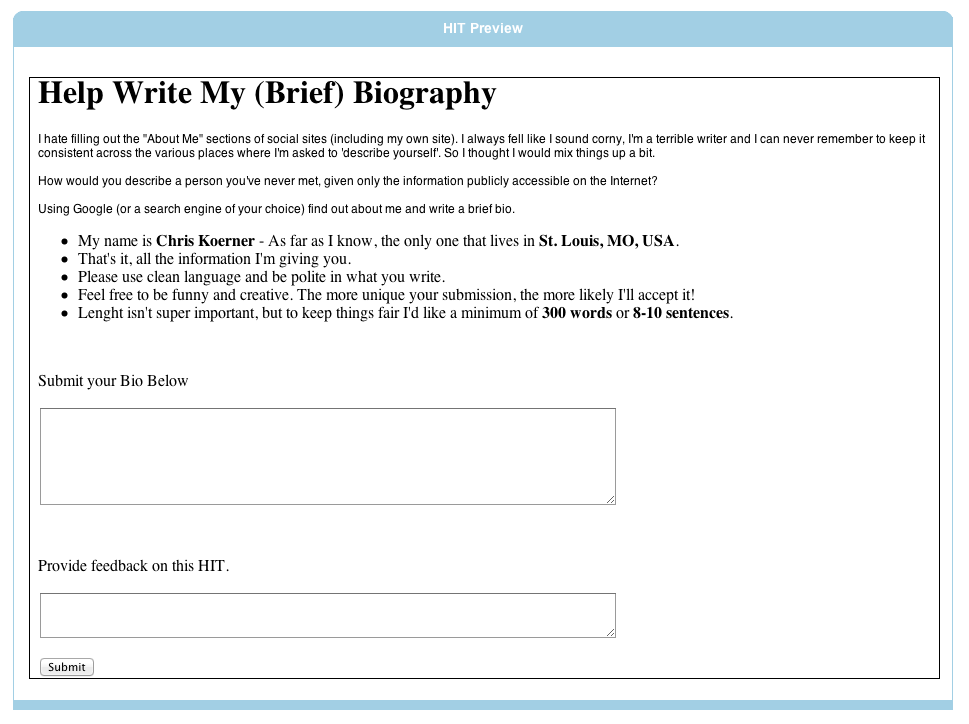
Using Mechanical Turk, I created a job (called a Human Intelligence Tasks or HiT) and asked the following:
—-
I hate filling out the “About Me” sections of social sites (including my own site). I always feel like I sound corny, I’m a terrible writer and I can never remember to keep it consistent across the various places where I’m asked to ‘describe yourself’. So I thought I would mix things up a bit.
How would you describe a person you’ve never met, given only the information publicly accessible on the Internet?
Using Google (or a search engine of your choice) find out about me and write a brief bio.
- My name is Chris Koerner – As far as I know, the only one that lives in St. Louis, MO, USA.
- That’s it, all the information I’m giving you.
- Please use clean language and be polite in what you write.
- Feel free to be funny and creative. The more unique your submission, the more likely I’ll accept it!
- Length isn’t super important, but to keep things fair I’d like a minimum of 300 words or 8-10 sentences.
—-
I then provided two open text boxes for Turks to submit their description and any feedback they have.
The results are quite surprising. The range in voice between each description, the information one person found and others did not and even the particular facts of my life that, through this unique lens, somehow come out a little off.
Here’s a link to the Google Doc with the all the results I accepted.3
Some choice quotes:
“… A great turn around happened in my life when I blessed with a baby child and the same year I graduated. I learned a lot about computers related to programing, server architecture and web designing in different working places or seminars. I see the new technology development in different perspective by empowering people in digital media with very user friendly tools…”
Well, that’s close.
“… I am 28 years old and have a wife named Clara and a 3 year old son named Spencer…”
That’s all inaccurate. Perhaps there’s some not-so-evil doppelgänger Chris out there?
“… He is a photographer, a movie buff (and reviewer), and a music lover. Most notably, he is an advisor to the world…”
A totally different voice in this one. I like that I’m “an advisor to the world”. I’m putting that on my resume.
“… I am lucky to be in the place I want to be: St. Louis, where I have lived all of my life and am lucky to have a wonderful wife and adorable daughter to keep me healthy and focused on all of the right things in the right time – the moment…”
That’s deep.
“… Did I ever excel on my newspaper route while in high school; having the opportunity to read the newspaper everyday, and converse with some of the regulars on my newspaper route, lead me on my path to journalism law and the legalities. Now I am on the other side. At age 34; even though I still have many questions to ask, I am ready to also answer them…”
What is this I don’t even.
“… If you are looking for Chris and you cannot find him, you can try looking at Vallarta Mexican restaurant in Wildwood or at the zoo with his family…”
I’ve been to that Mexican restaurant once. Out of all the information they could find they picked that?
Once again, you can read the rest, including the full versions I quoted above in this Google Doc.
The Stats – or how I would end up paying lower than minimum wage and feel bad about it.
I set the variables for accepting HiTs using Andy’s project as a template. I didn’t want to spend too much money on something that I wasn’t sure would work, so I limited myself to 10 accepted HiTs at $2.50 apiece. Adding in Amazon’s fee, this came out to a total of $27.50.
I was expecting about 30 minutes of work to pull together enough information for a few sentences. Using Andy’s advice I gave each Turk one hour to complete the task.
I received 13 submissions4 through Mechanical Turk, three of which I declined only because the submissions were either a direct copy and paste from my own About page, or gibberish.
In the end it took 4 days to gather submissions. The average time of completion was 24 minutes and 43 seconds with an effective hourly rate of $6.07.
Which, may I remind you, is far below the United States federal minimum wage of $7.255. This was not intentional, nor is it entirely accurate. Turks can be working on multiple HiTs in parallel, thereby raising their individual hourly rate. I think $2.50 was rather high for a HiT, but given my lack of experience in this area I could be mistaken.
Tips for Turk Requesters
Be clear in what you’re asking. In my case I was asking for submissions, but wasn’t clear if I was paying for all legit attempts, or just those that I preferred. I was contacted by a few turks who were polite in asking questions about my acceptance policy. All made a valid point – that rejections, even if it fit the instructions, still negatively impact Turks ratings.
I accepted 10 out of the 13 submissions. Those that didn’t meet the above description were asked to resubmit if they so chose.6
Turk Feedback
I allowed the Turks to provide feedback to me via the submission form. A few chose to do so. Here’s their responses.
“I hope you like my work. You are an interesting person and it was fun to put pieces of someones life together from snippets to form a web bio. Is this a secret web project, Chris? :-)”
This Turk was on to me! I wonder if they read my Tweet.
“This was an interesting assignment. Its positively disturbing how much info I was able to find.”
Disturbing indeed.
How are you perceived online?
At the university where I previously worked, part of the new student orientation was a brief message about how to handle yourself online. After that, the awareness on how to present yourself online was left up to the individual student.
Working in higher education it was frequently a point of discussion of how young people present themselves online. On occasion you’d hear about students (and often directly from students if you were friendly with them.) not getting a job or loosing face when potential employers or graduate schools would find information that didn’t reflect well on their character with a few simple Google searches.
I’ve always been intentional in what I put online. I put a lot of information out in the public space, but stay out of many topics and discussions that may be sensitive. I keep those for polite offline conversation.
This has been an interesting experiment in seeing how intentional or unintentional public information about one’s self could be used to provide a unique, and in this case slightly erratic, portrait of a person.
Narcissism & Laziness
My goal was not to cheaply create a well-written, accurate and descriptive bio of myself, but rather to better understand the public nature of the information we put out in the Internet. As the results show, even a serious attempt to have someone write about you would cover a large gamut in voice and quality. It should be noted that the Turks fulfilling this HiT were most likely attempting to spend just the right amount of time on a submission to get accepted. More time spent could create a deeper and more accurate profile of an individual.
Conclusion
I doubted this would actually work. It’s not the normal kind of thing you’d see Mechanical Turk being used for and I wasn’t sure that anyone would attempt to fulfill the request. Additionally, while I was certain I hadn’t put anything dangerous or harmful to myself online, I was a little hesitant to see what people would find. My wife thought that I was crazy. While that may be the case, the Turks didn’t say anything!
